Visual Form Editor
Three-pane layout with a block palette, WYSIWYG canvas, and property inspector. Drag blocks to build forms visually.
A visual form builder for macOS. Drag-and-drop blocks, style every detail, and export fillable PDFs that work everywhere.
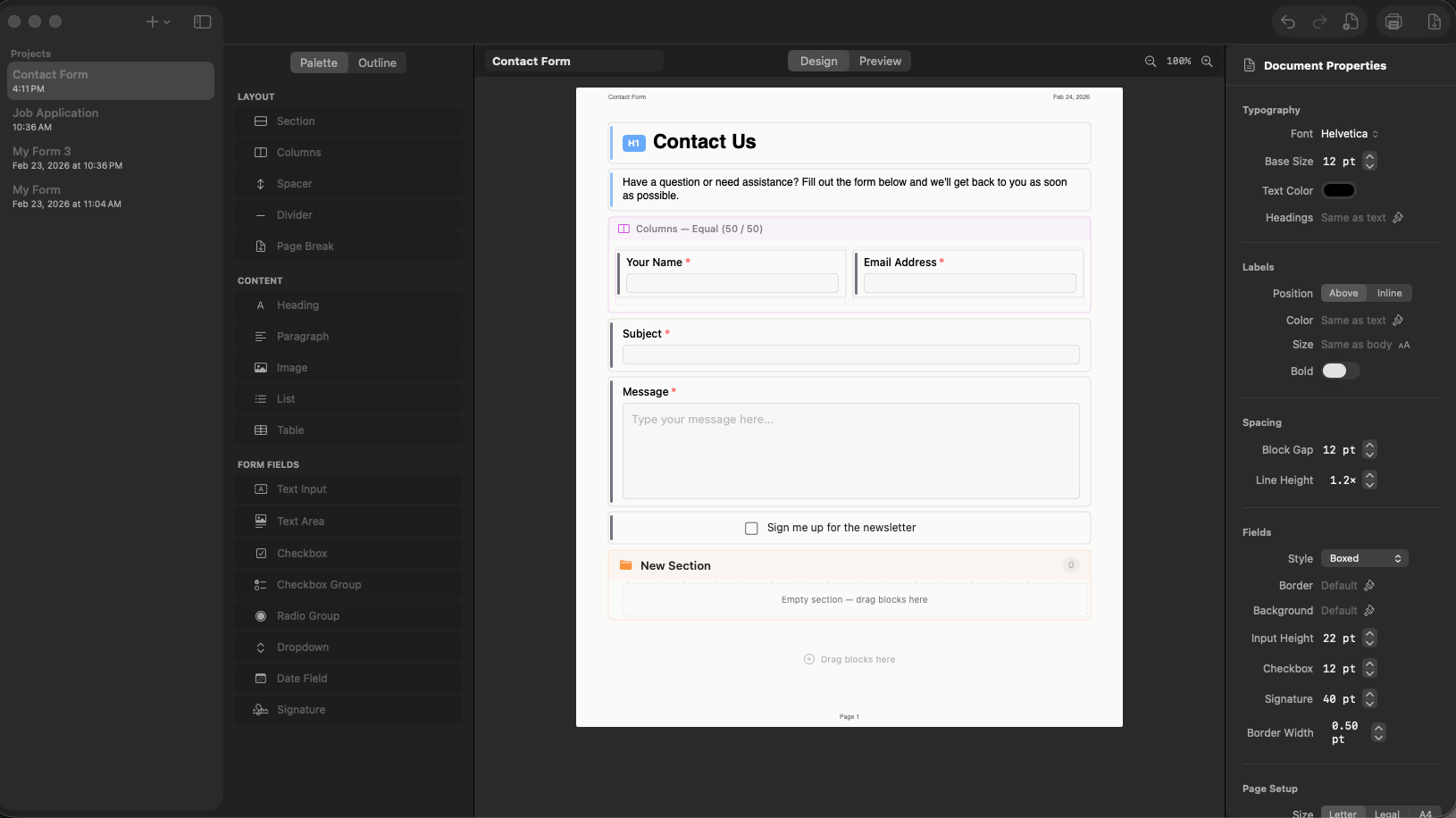
Platen gives you a complete form design studio right on your Mac.
Three-pane layout with a block palette, WYSIWYG canvas, and property inspector. Drag blocks to build forms visually.
Text inputs, checkboxes, radio groups, dropdowns, tables, signatures, date fields, images, headings, and more.
Export PDFs with real AcroForm annotations. Recipients fill out fields in Preview, Acrobat, or any PDF reader.
Job applications, expense reports, consent waivers, contact forms, and more. Customize every detail or start from blank.
CloudKit keeps your forms in sync across all your Macs. Edit on one, export on another.
Built with SwiftUI. Keyboard shortcuts, undo/redo, dark mode, print, and zoom. Feels right at home on your Mac.
Choose from 8 professionally designed templates. Each one is fully customizable in the editor.
Job applications, work orders, and expense reports with company branding and structured layouts.
Contact forms, consent waivers, and meeting minutes. Clean layouts with required field markers.
Start from blank and build exactly what you need. Sections, columns, tables, and every block type at your fingertips.
All templates include headers, footers, and page numbering.
Drag blocks onto the canvas. Add headings, text fields, checkboxes, tables, and signatures.
Adjust fonts, spacing, borders, and layout. Organize with sections and columns. Preview as you go.
Export a fillable PDF with real form fields. Recipients fill it out in Preview, Acrobat, or any PDF reader.
Download Platen from the Mac App Store and design your first fillable PDF in minutes.